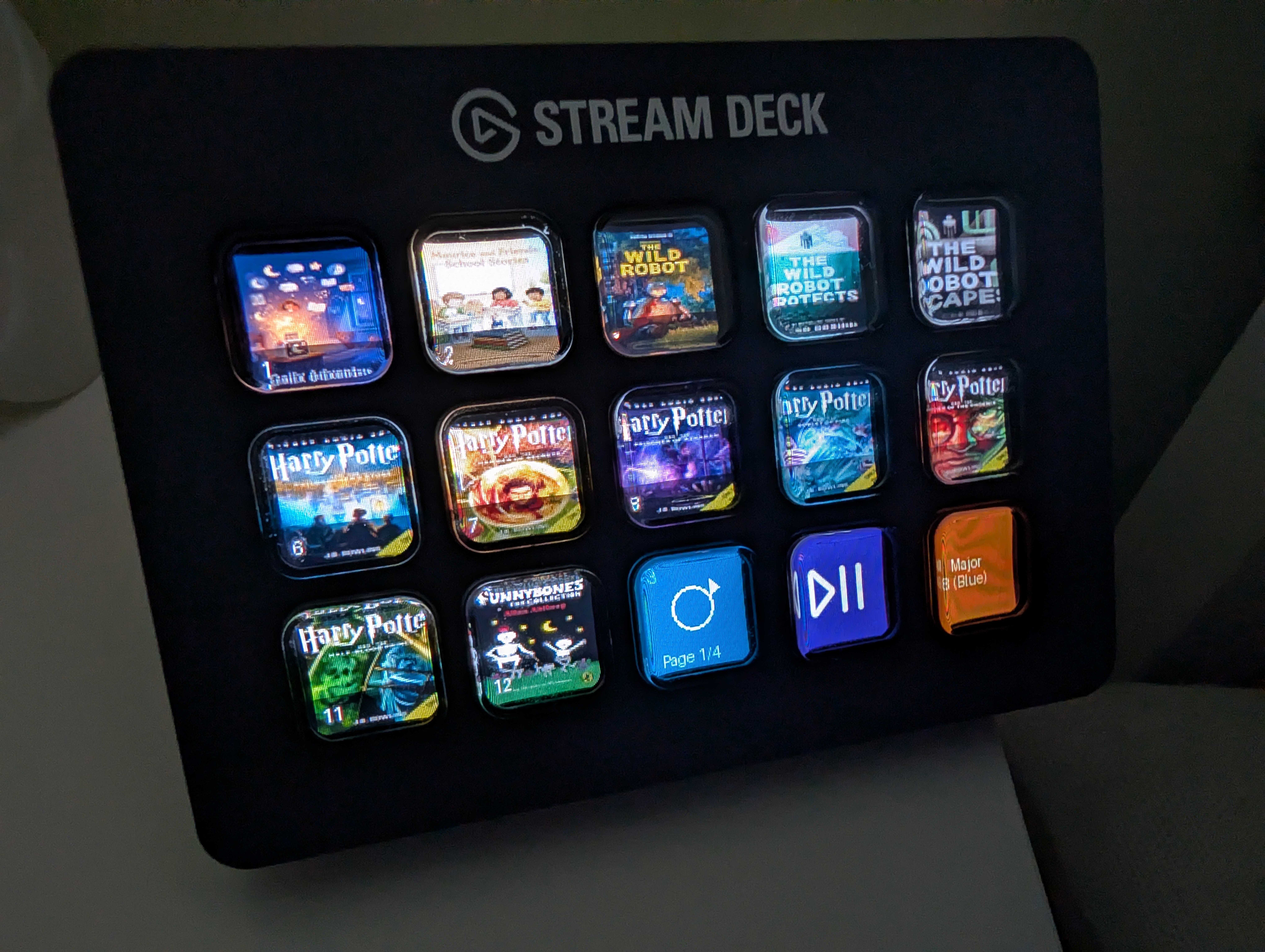
AdventurePad - Full Parts List
Just a quick list of parts used for the MYO AdventurePad
What You Need to Build the AdventurePad Stream Deck
If you read our AdventurePad announcement and want to go the hardware route, this is the parts list. No affiliate links, no sponsorship. Just what we use and where to get it.
The total cost is somewhere between £100 and £180 depending on whether you buy the Raspberry Pi new or secondhand. The Stream Deck is the expensive part. Everything else is fairly cheap.
The parts
Elgato Stream Deck MK.2
Around £130-£150 new
This is the main piece of hardware. 15 physical keys, each with its own LCD screen that shows your card's cover art. It connects to the Raspberry Pi via USB. Make sure you get the MK.2 specifically. The larger XL version (32 keys) and the smaller Mini (6 keys) won't work with the AdventurePad setup.
Stream Deck MK.2 on the Elgato website →
Raspberry Pi 4 or 5
Around £15-£40 secondhand on eBay, £50-£80 new
A Raspberry Pi is a small, inexpensive computer about the size of a credit card. It runs the AdventurePad software and connects to the Stream Deck via USB. Either a Pi 4 or Pi 5 works fine. We've tested both and there's no practical difference for this use case. Buying secondhand from eBay is a perfectly good option and keeps the cost down considerably.
Search Raspberry Pi 4 on eBay →
Micro SD card
Around £8-£12
The Pi boots from a micro SD card. A 16GB card is plenty. Stick to a reputable brand. SanDisk and Samsung are both reliable. Avoid the very cheapest unbranded ones as they can cause stability issues.
Raspberry Pi power supply
Around £10-£12
The Pi needs its own power supply. If you're buying a Pi 4, you need a USB-C supply that outputs at least 3A. If you're buying a Pi 5, it needs 5A. The official Raspberry Pi power supplies are the safest bet. Using an underpowered supply is the most common cause of Pi stability problems, so don't skip this one.
Case (optional)
Around £8-£15
You don't need a case. The Pi will sit happily bare on a shelf or tucked behind the Stream Deck. But if it's going in a child's room a case keeps it protected and looks tidier. Any official or third-party case for your Pi model will do.
Once you have everything
The AdventurePad setup wizard walks you through installation, including the GitHub installer for the Pi. You don't need to go looking for anything separately. Log in to your Daily Adventure account, open AdventurePad from the menu, and follow the hardware setup path from there.
If you get stuck, drop us a message via the support link in your account.